What tools do you use to stay organized interview question
Knowing what tools to mention when asked “what tools do you use to stay organized” can make or break your interview. This guide covers the best apps, methods, and strategies to answer this question with confidence. You will learn how to showcase real organizational skills that hiring managers love to see.
This is a comprehensive guide about what tools do you use to stay organized interview question.
Key Takeaways
- Pick tools you actually use: Authenticity matters more than naming trendy apps.
- Mix digital and physical tools: Showing a balanced approach impresses interviewers.
- Focus on results: Explain how your tools help you deliver better work.
- Practice your answer: Use a random question generator to rehearse this and other interview questions smoothly.
- Keep it simple: Too many tools can signal disorganization, not the opposite.
- Tailor your answer: Match your tools to the job role and company culture.
[FEATURED_IMAGE_PLACEHOLDER]
Interview questions about organization skills come up more often than you might think. One of the most common ones is: “What tools do you use to stay organized?” It sounds simple on the surface. But your answer can reveal a lot about how you work, how you think, and how you handle responsibility.
Hiring managers ask this question because they want to know if you have a system. They want to see that you can manage tasks, meet deadlines, and keep track of important details without falling apart. The tools you mention give them a window into your daily workflow and your level of professionalism.
In this article, we will walk you through everything you need to know. We will cover the best tools to mention, how to structure your answer, common mistakes to avoid, and real examples you can adapt for your own interview. Whether you are applying for a desk job or a hands-on role, this guide will help you stand out.
Why Interviewers Ask About Organizational Tools
Before we dive into specific tools, let us talk about why this question exists in the first place. Interviewers are not just curious about your app preferences. They are trying to understand how you operate in a fast-paced work environment.
Organization is a core skill in almost every job. Whether you are managing a team, handling customer requests, or completing daily tasks, staying organized is the backbone of productivity. When an interviewer asks about your tools, they are really asking three things:
- Do you have a system? A person with a system is reliable. They do not lose track of deadlines or forget important meetings.
- Are you adaptable? The tools you use show whether you embrace new technology or stick to old habits.
- Can you communicate your process? Being able to explain your workflow clearly is a valuable skill in any role.
Understanding the “why” behind the question helps you craft a better answer. Instead of just listing apps, you can frame your response around outcomes and habits.
Best Digital Tools to Mention in Your Answer
Digital tools are the most common answer to this interview question. They are visible, widely used, and easy to explain. Here are the top categories and specific tools you should consider mentioning.
Task Management Apps
Task management apps help you track what needs to be done and when. These are the most popular tools for staying organized in modern workplaces.
- Trello: A visual board-based tool that lets you organize tasks into columns. Great for showing you can manage workflows.
- Asana: A powerful project tracking tool. Mentioning Asana shows you understand team collaboration.
- Todoist: A simple to-do list app that emphasizes daily task management.
- Microsoft To Do: A clean, straightforward app that integrates with the Microsoft ecosystem.
When mentioning these in an interview, focus on how you use them. For example, you might say, “I use Trello to break down projects into smaller tasks and track progress every day.” This shows practical application, not just familiarity.
Calendar and Scheduling Tools
Calendars are essential for time management. They show you respect your own time and the time of others.
- Google Calendar: The most widely used calendar tool. Almost every workplace uses it in some form.
- Microsoft Outlook Calendar: Common in corporate environments. Mentioning it shows you are comfortable with enterprise tools.
- Calendly: Great for scheduling meetings without back-and-forth emails.
You can mention how you block time for focused work, set reminders for deadlines, and share calendars with team members. These details make your answer specific and credible.
Note-Taking and Documentation Tools
Good note-taking is a sign of a disciplined mind. Interviewers love candidates who can capture ideas and organize information effectively.
- Notion: A versatile workspace for notes, databases, and project plans. It is increasingly popular in tech and creative fields.
- Evernote: A classic note-taking app that works across devices.
- Microsoft OneNote: A solid choice, especially in Microsoft-heavy environments.
- Google Docs/Sheets: Simple but effective for collaborative documentation.
When you mention note-taking tools, explain how they fit into your daily routine. For instance, you might say, “I keep all my meeting notes in Notion and organize them by project so I can find anything in seconds.”
Communication and Collaboration Platforms
Staying organized is not just about personal tools. It also involves how you work with others.
- Slack: A messaging platform that keeps team communication organized by channels.
- Microsoft Teams: A full collaboration suite used by many businesses worldwide.
- Zoom: For virtual meetings and keeping track of video call notes.
Mentioning communication tools shows you understand that organization is not a solo activity. It involves coordinating with others and keeping information accessible.
Physical Tools That Still Matter
Digital tools get all the attention, but physical tools still play a role in staying organized. Mentioning a mix of both can make your answer more memorable and well-rounded.
Planners and Notebooks
A physical planner or notebook shows you like to write things down. Many successful professionals swear by this approach.
- Daily planner: A simple paper planner where you write your tasks each morning.
- Bullet journal: A customizable journaling method that combines tasks, notes, and goals.
- Sticky notes: Great for quick reminders and visual task tracking on your desk.
You might say, “I start every morning by writing my top three priorities in a paper planner. It helps me stay focused before I jump into digital tools.” This kind of answer feels genuine and thoughtful.
Workspace Organization Tools
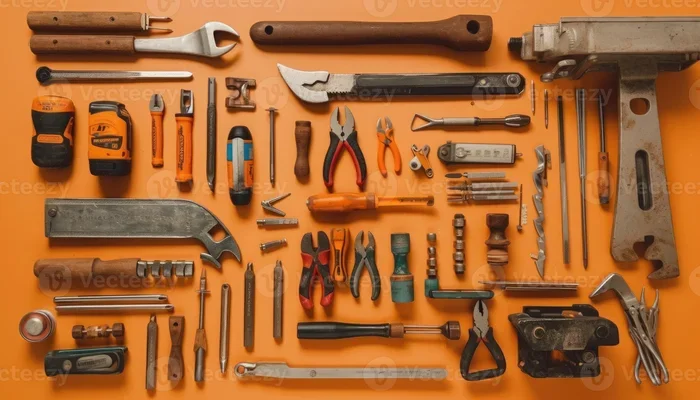
For roles that involve physical workspaces, mentioning tools like pegboards, label makers, or storage bins can be relevant. For example, if you work in a workshop or garage, you might talk about how you organize your air compressor and other equipment. Keeping your workspace tidy is a form of organization too.
Some people use a system where every tool has a designated spot. When asked about organization in a hands-on role, you can mention how you maintain an orderly workspace, much like how someone might organize their old air compressor setup or maintain their equipment station. This shows attention to detail and a systematic mindset.
Time Management Tools
Physical time management tools include timers, hourglasses, and even simple alarm clocks. The Pomodoro Technique, which uses a timer to break work into focused intervals, is a great example. You can mention using a timer to stay on track and avoid burnout.
How to Structure Your Interview Answer
Now that you know which tools to mention, let us talk about how to deliver your answer. The structure of your response matters just as much as the content.
The STAR Method for Organization Questions
Use the STAR method to frame your answer:
- Situation: Briefly describe your work context.
- Task: Explain what you needed to organize.
- Action: Describe the tools and methods you used.
- Result: Share the positive outcome.
Here is an example answer you can adapt:
“In my previous role, I was managing multiple projects at once. I needed a way to keep track of deadlines and team tasks. I started using Asana for project tracking and Google Calendar for scheduling. I also kept a daily paper planner for quick notes. This system helped me reduce missed deadlines by 30% and improved team communication.”
Notice how this answer mentions specific tools, explains why they were chosen, and shows a measurable result. That is exactly what interviewers want to hear.
Tips for a Strong Answer
- Be specific: Name the actual tools you use. Vague answers like “I use a lot of apps” do not impress anyone.
- Show your process: Explain how you use the tools, not just that you use them.
- Mention results: Tie your tools to outcomes. Did they help you save time? Reduce errors? Improve teamwork?
- Keep it concise: Aim for 60 to 90 seconds. A too-long answer can lose the interviewer’s attention.
- Practice beforehand: You can use a random question generator to practice answering this and similar questions until your response feels natural and confident.
Common Mistakes to Avoid
- Listing too many tools: Mentioning ten different apps can make you seem scattered. Stick to three or four.
- Talking about tools you do not actually use: Interviewers can sense inauthenticity. Only mention tools you are genuinely familiar with.
- Focusing only on digital tools: A balanced answer that includes both digital and physical tools shows versatility.
- Forgetting to explain the “why”: Every tool you mention should have a clear reason behind it.
Tailoring Your Answer to Different Roles
The tools you mention should match the job you are applying for. A marketing coordinator and a warehouse manager will have very different organizational needs.
For Office and Administrative Roles
Focus on digital tools like calendars, task managers, and document platforms. Mention tools like Microsoft Outlook, Trello, and Google Workspace. Emphasize how you manage emails, schedules, and shared documents.
For Creative Roles
Creative professionals might use tools like Notion for idea management and Trello for visual project tracking. You can also mention mood boards, inspiration folders, and creative brief templates as part of your organizational system.
For Hands-On and Technical Roles
If you work with physical equipment, mention how you organize your workspace and tools. For example, in a workshop setting, you might describe how you maintain your air compressor station, label your tools, and follow a checklist before starting each project. You might also mention how you organize your equipment setup, similar to how someone would carefully set up and maintain a Porter Cable air compressor with proper care and a consistent routine. This shows that your organizational skills extend beyond the digital world.
For Remote or Hybrid Roles
Remote work demands strong self-organization. Highlight tools like Slack, Zoom, Asana, and Google Calendar. Explain how you stay on top of deadlines without direct supervision.
Tools for Specific Organizational Needs
Different people have different organizational challenges. Here are some common needs and the tools that address them.
| Organizational Need | Recommended Tools | Why It Works |
|---|---|---|
| Daily task tracking | Todoist, Microsoft To Do, paper planner | Simple and focused on what needs to be done today |
| Project management | Trello, Asana, Notion | Visual and collaborative; great for team projects |
| Time management | Google Calendar, Pomodoro timer | Structures your day into focused blocks |
| Note-taking | Notion, Evernote, OneNote | Captures ideas and keeps them searchable |
| Workspace organization | Label maker, storage bins, pegboard | Keeps physical tools and materials in order |
| Meeting coordination | Calendly, Slack, Microsoft Teams | Reduces scheduling friction and keeps communication clear |
The key is to choose tools that match your natural workflow. Do not adopt a tool just because it is popular. The best organizational system is one you will actually use consistently.
How to Practice and Prepare
Practicing your answer ahead of time makes a huge difference. Here are some practical steps you can take.
- Write down your tools: List the tools you currently use to stay organized. Be honest about what works and what does not.
- Explain your “why”: For each tool, write a sentence about why you use it and how it helps you.
- Time yourself: Practice delivering your answer in under 90 seconds. Keep it tight and focused.
- Record yourself: Listen back to your practice answer. Look for filler words, unclear points, or areas that need improvement.
- Get feedback: Ask a friend to listen and give honest feedback on your delivery and clarity.
The more you practice, the more natural your answer will feel during the real interview. You want to sound confident but not rehearsed. The goal is to come across as someone who has thought carefully about their workflow.
Also, consider practicing this question alongside other common interview questions. Using a tool like a random question generator can help you simulate a real interview experience and build your confidence across a range of topics.
Final Thoughts
The question “what tools do you use to stay organized” is one of the most straightforward interview questions you will face. But that does not mean you should take it lightly. Your answer reveals how you think, how you work, and how you handle responsibility.
Choose tools you genuinely use, explain how they fit into your workflow, and connect them to real results. Whether you rely on digital apps like Trello and Notion, physical planners, or a combination of both, the key is to show that you have a system that works. A well-organized candidate is a candidate that hiring managers trust.
Take the time to prepare your answer. Practice it out loud. Make adjustments until it feels natural. When the moment comes, you will be ready to give a response that is clear, confident, and compelling.
Remember, staying organized is not about having the fanciest tools. It is about having a process that helps you do your best work every day. And that is something any interviewer will value.
Frequently Asked Questions
What are the best tools to mention when answering this interview question?
The best tools to mention are ones you actually use regularly. Popular choices include Trello, Asana, Todoist, Google Calendar, Notion, and Microsoft Outlook. Pick three or four tools and explain how each one fits into your daily workflow. Authenticity matters more than naming the trendiest apps.
Should I mention physical tools or only digital ones?
A mix of both is ideal. Physical tools like a daily planner, bullet journal, or labeled storage bins show that you have a hands-on approach to organization. Digital tools show you are tech-savvy. Together, they paint a picture of a well-rounded and disciplined professional.
How long should my answer be?
Aim for 60 to 90 seconds. That is long enough to be specific and provide examples, but short enough to keep the interviewer engaged. Practice timing yourself so you can deliver a concise and confident answer on the spot.
What if I do not use any special tools to stay organized?
Everyone has some form of organization system. It might be a simple to-do list on paper, a basic calendar, or a habit of prioritizing tasks each morning. Focus on your process and habits. You can mention tools you are willing to learn or explore if the role calls for it.
Can I mention tools I have heard of but never used?
It is better to stick to tools you have actual experience with. If you mention a tool you have never used, the interviewer may ask follow-up questions and you could get caught off guard. Be honest and highlight the tools you know best.
How can I practice answering this question effectively?
Write down your answer, time yourself, and practice delivering it out loud. You can also use a random question generator to simulate a real interview and practice responding to this question along with other common ones. Getting feedback from a friend or mentor can also help you refine your response.
=== META TITLE ===
Tools to Stay Organized for Interview Question Answers
=== URL SLUG ===
what-tools-do-you-use-to-stay-organized-interview-question