What Does One Key Mean on Milwaukee Tools Explained
The one key on Milwaukee tools refers to the Milwaukee ONE-KEY smart tool system, a digital platform that lets you customize settings, track inventory, and manage your tools through a single Bluetooth-connected key. This one key system gives you full control over your Milwaukee power tools from your smartphone, making it easier than ever to organize, customize, and protect your investment.
If you have ever picked up a Milwaukee tool and noticed a small icon or marking that says “one key,” you might have wondered what it means. The short answer is that it refers to the Milwaukee ONE-KEY smart tool system. But there is a lot more to it than just a label. The one key system is a game changer for anyone who uses Milwaukee power tools regularly. It connects your tools to your phone, lets you save custom settings, and helps you keep track of your entire collection.
In this article, we will break down everything you need to know about what one key means on Milwaukee tools. We will cover how the system works, what it can do, and why it is worth your time. Whether you are a weekend warrior or a professional contractor, understanding the one key system can make a real difference in how you work.
The one key system is Milwaukee’s answer to the growing demand for smart tools. Instead of relying on guesswork or manual adjustments every time you pick up a tool, the one key lets you store your preferences and pull them up instantly. Think of it as a personal assistant for your tool belt. It is simple, powerful, and designed to save you time on the job site.
Key Takeaways
- ONE-KEY System: The one key on Milwaukee tools connects to a smart platform for customization and tracking.
- Custom Tool Settings: You can save personalized settings like speed, torque, and LED brightness for each tool.
- Inventory Management: The one key system helps you track all your Milwaukee tools in one place.
- Bluetooth Connectivity: Each one key connects wirelessly to the Milwaukee ONE-KEY app on your phone.
- Anti-Theft Protection: The one key system includes location tracking and tool locking features.
- Wide Compatibility: Many Milwaukee M18 and M12 tools support the one key platform.
- Easy Setup: Pairing your one key with the app takes just a few simple steps.
📑 Table of Contents
- What Exactly Is the One Key on Milwaukee Tools?
- Key Features of the One Key System
- Which Milwaukee Tools Support the One Key System?
- How to Set Up the One Key System
- Benefits of Using the One Key System
- One Key vs. Traditional Tool Management
- Common Questions About the One Key System
- Final Thoughts on the One Key System
What Exactly Is the One Key on Milwaukee Tools?
The one key on Milwaukee tools is part of the ONE-KEY platform, a smart technology built into select Milwaukee cordless tools. The one key is a small Bluetooth-enabled device or digital identifier that pairs each tool with the Milwaukee ONE-KEY app. Once paired, you can access a range of features that go far beyond what the tool offers on its own.
When you see the one key symbol on a Milwaukee tool, it means that tool is compatible with the ONE-KEY system. This includes many tools in the Milwaukee M18 and Milwaukee M12 families. The one key is not a physical key you hold in your hand. It is a digital identity for your tool that lives inside the ONE-KEY app on your smartphone.
How Does the One Key System Work?
The one key system uses Bluetooth technology to connect your Milwaukee tool to your phone. Here is how it works in simple steps:
- Download the Milwaukee ONE-KEY app from the App Store or Google Play.
- Turn on Bluetooth on your phone.
- Power on your compatible Milwaukee tool.
- Open the app and tap “Add Tool.”
- Follow the on-screen prompts to pair the one key with your tool.
Once the pairing is complete, the one key system recognizes your tool every time you open the app. You can then customize settings, track usage, and even locate the tool if it goes missing. The one key makes your Milwaukee tools smarter and more responsive to your needs.
Key Features of the One Key System
The one key system comes packed with features that make managing your Milwaukee tools much easier. Let us look at the most useful ones.
Custom Tool Settings
One of the best things about the one key system is the ability to save custom settings. You can adjust parameters like speed, torque, LED brightness, and idle time for each tool. Once you save these settings under your one key profile, they are stored in the tool’s memory. So the next time you pick up that tool, it remembers exactly how you like it.
This is especially helpful if you share tools with a crew or switch between tasks frequently. Instead of reconfiguring your settings every time, the one key system pulls up your preferred setup instantly. It is a small feature that saves a lot of frustration over a long workday.
Tool Inventory and Organization
Keeping track of your tools can be a challenge, especially on large job sites. The one key system helps with tool inventory management by letting you see all your connected Milwaukee tools in one place. The app shows you which tools are paired, their battery levels, and even how much they have been used.
You can create tool lists, tag tools by project, and sort them by type. This makes it easy to find what you need fast. If you have ever spent ten minutes looking for a missing drill bit or driver, the one key inventory feature will feel like a lifesaver.
Anti-Theft and Location Tracking
One of the most valuable features of the one key system is built-in anti-theft protection. If a Milwaukee tool goes missing, you can use the one key app to locate it on a map. The system uses the tool’s Bluetooth connection and last known location to help you find it.
You can also remotely lock a tool that has been registered to your one key. This means that even if someone picks it up, they cannot use it without your permission. For contractors who leave tools in trucks or on job sites overnight, this one key feature provides real peace of mind.
Usage Tracking and Analytics
The one key system tracks how much you use each tool. It records run time, number of starts, and other usage data. This information is stored in the app and can help you make better decisions about maintenance and replacement.
For example, if you notice that one of your Milwaukee drills is being used significantly more than others, you might want to check it for wear or plan a backup tool for heavy-duty days. The one key analytics give you data-driven insights that can extend the life of your tools.
Which Milwaukee Tools Support the One Key System?
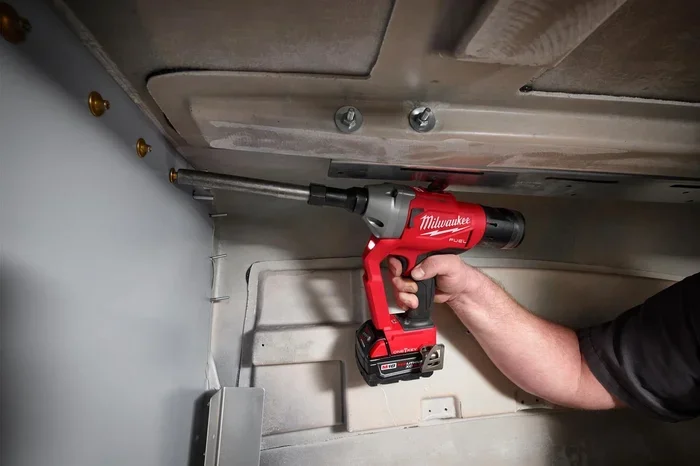
Not every Milwaukee tool has the one key feature. The system is available on select models, primarily in the Milwaukee M18 and M12 product lines. Here are some categories where you will commonly find one key compatibility:
- Drills and Drivers: Many cordless drills and drivers in the M18 and M12 lines support one key.
- Impact Wrenches: High-torque impact wrenches often include one key compatibility.
- Sawzalls: Reciprocating saws with the one key icon offer custom settings and tracking.
- Circular Saws: Select Milwaukee circular saws are one key enabled.
- Flashlights and Work Lights: Even lighting tools can be part of the one key ecosystem.
When shopping for new Milwaukee tools, look for the one key logo on the packaging or product description. It is usually a small icon that looks like a key or says “ONE-KEY.” If you already own Milwaukee tools, you can check the app to see if your existing tools are compatible with the one key system.
How to Set Up the One Key System
Setting up the one key system is straightforward. Here is a step-by-step guide to get you started:
- Download the App: Search for “Milwaukee ONE-KEY” in your phone’s app store and install it.
- Create an Account: Sign up with your email or use your Milwaukee account if you already have one.
- Enable Bluetooth: Make sure Bluetooth is turned on in your phone settings.
- Prepare Your Tool: Insert a charged battery into your compatible Milwaukee tool and turn it on.
- Pair the One Key: Open the app, tap “Add Tool,” and follow the prompts to connect.
- Customize Settings: Once paired, explore the settings menu to save your preferences.
The entire setup process usually takes less than five minutes. Once your one key is connected, you can start enjoying all the features right away. The app is intuitive and easy to navigate, so even if you are not very tech-savvy, you should feel comfortable quickly.
Tips for Getting the Most Out of Your One Key
To get the best experience with your one key, keep these tips in mind:
- Keep your app updated to access the latest features and improvements.
- Charge your tool’s battery before pairing for the best connection.
- Name each tool in the app so you can easily identify it in your inventory.
- Check for firmware updates for your tools through the one key app periodically.
- Use the one key system on every tool you own to build a complete digital inventory.
Benefits of Using the One Key System
The one key system offers several real-world benefits that make it worth considering. Here are the main advantages:
- Time Savings: Custom settings mean you spend less time adjusting and more time working.
- Better Organization: The inventory feature keeps your tools organized and easy to find.
- Enhanced Security: Anti-theft features protect your investment on crowded job sites.
- Data-Driven Decisions: Usage tracking helps you maintain tools and plan replacements.
- Seamless Integration: The one key system works smoothly with the Milwaukee M18 and M12 ecosystems.
For contractors and pros, the one key system is not just a nice-to-have. It is a tool management solution that pays for itself in saved time and reduced tool loss. Even for DIYers and home users, the one key adds a layer of convenience that makes using Milwaukee tools more enjoyable.
One Key vs. Traditional Tool Management
Before the one key system, managing Milwaukee tools relied mostly on manual methods. You would keep a spreadsheet, a notebook, or just hope you remembered where you put everything. The one key system replaces all of that with a digital, automated approach.
Traditional tool management works fine for small collections. But once you have more than a dozen tools, it becomes overwhelming. The one key system scales with your collection. Whether you have five Milwaukee tools or fifty, the app handles it all with the same ease.
The one key also adds a layer of intelligence that manual tracking cannot match. Usage data, automatic inventory updates, and remote locking are features that simply do not exist in a notebook. For anyone serious about their tool collection, the one key system is a clear upgrade.
Common Questions About the One Key System
Many people have questions about the one key system when they first encounter it. Here are answers to some of the most common ones.
Is the one key system free? Yes, the Milwaukee ONE-KEY app is free to download and use. There are no subscription fees to access the core features of the one key platform.
Does the one key work with older Milwaukee tools? The one key system is available on newer models. Older Milwaukee tools may not be compatible, but the app will show which tools in your collection are supported.
Can I share my one key tools with others? Yes, you can share tool access through the app. This is useful for families or crews who share Milwaukee tools regularly.
Does the one key drain the battery? The one key system uses very little power. You should not notice any significant impact on your tool’s battery life.
What happens if I lose my phone? You can log into the ONE-KEY app from a new device and regain access to all your one key data and tool settings.
Final Thoughts on the One Key System
The one key on Milwaukee tools is more than just a logo or a symbol. It represents a smart, connected approach to tool management that is built for real-world use. Whether you are a professional contractor managing a full fleet of tools or a DIYer building your collection, the one key system adds value in every way.
From custom settings and inventory tracking to anti-theft protection and usage analytics, the one key system covers all the bases. It is easy to set up, free to use, and works seamlessly with the Milwaukee M18 and M12 tool families. If you have not yet tried the one key system, now is a great time to explore what it can do for you.
The one key system is a perfect example of how technology can make everyday tools smarter and more useful. Milwaukee has built a platform that respects your time, protects your investment, and helps you work more efficiently. The one key is not just a feature. It is a tool management philosophy that puts you in control.
So next time you see that one key symbol on a Milwaukee tool, you will know exactly what it means. And more importantly, you will know how to use it to your advantage. The one key system is here to stay, and it is already changing the way people think about their power tools.