What Is Bing Webmaster Tools and Why You Need Them
Bing Webmaster Tools is a free platform from Microsoft that helps you monitor, maintain, and improve your website’s presence in Bing search results. It offers powerful insights into crawl errors, indexing status, and search performance. Whether you are new to SEO or a seasoned pro, this tool gives you the data you need to grow organic traffic. Think of it as a free health check for your site’s search engine performance.
Running a website can feel like a full-time job. You create content, update pages, and try to keep everything running smoothly. But here is the thing — if nobody can find your site on search engines, all that hard work goes unnoticed.
That is where Bing Webmaster Tools comes in. It is a free platform built by Microsoft that gives you a clear window into how Bing sees and ranks your website. Many people focus only on Google, but Bing holds a solid share of the search market. Ignoring it means leaving traffic on the table.
In this article, we will walk you through everything you need to know about Bing Webmaster Tools. We will cover what it is, how to set it up, what features it offers, and why it belongs in every website owner’s toolkit. Let us dive in.
Key Takeaways
- Free SEO Insights: Bing Webmaster Tools gives you detailed data on how Bing crawls and indexes your site at no cost.
- Easy Setup: Verifying your site takes just a few minutes using DNS, HTML file, or meta tag methods.
- Crawl Error Detection: The tool alerts you to broken links, server errors, and other issues that hurt your rankings.
- Search Performance Data: You can see which queries bring traffic, how many clicks you get, and your average position.
- Sitemap Submission: Submitting your XML sitemap helps Bing discover and index your pages faster.
- Alternative to Google Search Console: It diversifies your SEO strategy beyond Google and taps into Bing’s search market share.
📑 Table of Contents
What Is Bing Webmaster Tools?
Bing Webmaster Tools is a free suite of services offered by Microsoft’s Bing search engine. It allows website owners to submit their sites for indexing, monitor crawl status, and receive alerts about issues that could affect their search visibility. Think of it as a direct communication channel between your website and Bing’s search engine.
The platform serves a similar purpose to Google Search Console. However, it focuses specifically on Bing’s search ecosystem. This means you get data and insights tailored to how Bing crawls, ranks, and displays your content. For many website owners, using both Google and Bing tools creates a more complete SEO picture.
Why Does Bing Matter for SEO?
Some people assume Bing is a minor player in the search engine world. That is not true. Bing powers a significant portion of search queries, especially in certain regions and demographics. Here are a few reasons why you should pay attention:
- Market Share: Bing holds roughly 3 to 5 percent of global search traffic. That may sound small, but it adds up to millions of users.
- Less Competition: Many SEO professionals focus exclusively on Google. Optimizing for Bing can give you an edge with less competition.
- Yahoo Partnership: Bing powers Yahoo Search, which expands your potential reach even further.
- Windows Users: A large portion of desktop search traffic comes through Bing, especially among Windows users.
By using Bing Webmaster Tools, you tap into this audience and make sure your site is ready to show up in Bing search results.
How to Set Up Bing Webmaster Tools
Getting started with Bing Webmaster Tools is straightforward. You do not need any technical expertise or coding skills. The setup process takes just a few minutes, and you will be up and running in no time.
Step 1: Create a Microsoft Account
First, you need a Microsoft account. If you already use Outlook, Hotmail, or any Microsoft service, you are all set. If not, creating one is free and takes less than a minute. Simply go to the Bing Webmaster Tools website and sign in with your Microsoft credentials.
Step 2: Add Your Website
Once logged in, you will see an option to add your website. Enter your full URL, including the “https://” prefix. Make sure you use the exact URL that visitors see. If you have both www and non-www versions, add both and verify each one separately.
Step 3: Verify Ownership
Bing needs to confirm that you own or control the website. It offers several verification methods:
- DNS Record: Add a TXT record to your domain’s DNS settings. This is the most reliable method and works across all hosting platforms.
- HTML File Upload: Upload a specific HTML file to your website’s root directory.
- Meta Tag: Add a meta tag to your homepage’s HTML code.
- CNAME Record: Add a CNAME record to your DNS settings.
Choose the method that works best for you. The DNS record method is often recommended because it is permanent and does not depend on your website’s CMS.
Step 4: Submit Your Sitemap
After verification, the next step is to submit your XML sitemap. A sitemap is a file that lists all the pages on your website. It helps Bing discover and index your content more efficiently. You can usually find your sitemap at yourdomain.com/sitemap.xml. Paste the URL into the sitemap section of Bing Webmaster Tools and hit submit.
Key Features of Bing Webmaster Tools
Now that you have your site set up, let us look at the features that make Bing Webmaster Tools so valuable. Each feature gives you actionable data to improve your website’s search performance.
Search Performance Reports
The search performance section shows you how your site performs in Bing search results. You can see metrics like:
- Impressions: How many times your pages appeared in search results.
- Clicks: How many times users clicked on your links.
- Click-Through Rate (CTR): The percentage of impressions that led to clicks.
- Average Position: Where your pages typically rank for specific queries.
This data helps you understand which queries drive traffic and which pages need optimization. You can filter results by date range, country, and device type to spot trends and opportunities.
Crawl and Indexing Reports
Bing uses automated bots called crawlers to scan and index websites. The crawl reports in Bing Webmaster Tools show you how often Bing crawls your site and which pages it has indexed. You can also see:
- Crawl Errors: Pages that Bing could not access due to server errors, broken links, or blocked resources.
- Index Status: The total number of pages Bing has indexed versus the total pages on your site.
- Not Crawled Pages: Pages that Bing has not yet discovered or chose not to crawl.
Monitoring these reports helps you catch issues early. If Bing cannot crawl or index important pages, those pages will not show up in search results.
Submit URLs for Indexing
When you publish new content or make significant updates, you can use the URL submission feature to ask Bing to crawl those pages faster. This is especially useful for time-sensitive content, blog posts, or product pages where speed of indexing matters.
Backlink Data
Bing Webmaster Tools provides a backlink report that shows which external websites link to your content. Backlinks are an important ranking factor. This report helps you:
- Identify who is linking to your site.
- Spot potentially harmful or spammy links.
- Find opportunities to build more high-quality backlinks.
Content Keywords and Search Queries
The content keywords feature shows you the most common terms Bing associates with your website. The search queries report reveals the actual terms users type into Bing to find your content. Together, these insights help you refine your keyword strategy and create content that matches what people are actually searching for.
Site Explorer
Bing Site Explorer lets you analyze any website’s performance on Bing, not just your own. You can see a competitor’s backlink profile, top pages, and indexed content. This feature is incredibly useful for competitive analysis and finding gaps in your own SEO strategy.
Common Issues Detected by Bing Webmaster Tools
One of the biggest benefits of Bing Webmaster Tools is its ability to flag problems before they hurt your rankings. Here are some common issues the tool detects:
Crawl Errors
Crawl errors happen when Bing’s bot tries to access a page but encounters a problem. Common causes include server timeouts, broken links, and misconfigured robots.txt files. The tool sends alerts when it detects these errors, so you can fix them quickly.
Duplicate Content
If Bing finds identical or very similar content across multiple pages, it may struggle to decide which version to rank. This can dilute your search visibility. The tools help you identify duplicate content so you can consolidate or rewrite it.
Missing Meta Tags
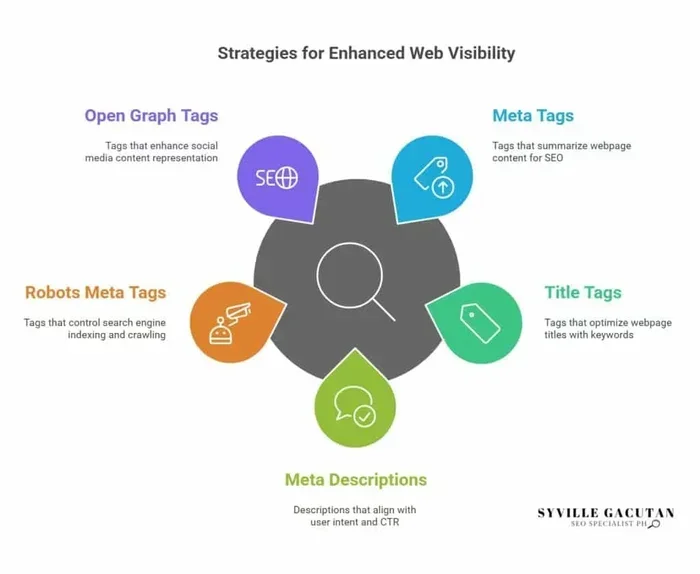
Title tags and meta descriptions are essential for search visibility. Bing Webmaster Tools can flag pages that are missing these important elements. Adding proper meta tags to every page improves your chances of ranking well and earning higher click-through rates.
Mobile Usability Issues
With mobile search making up a large share of total traffic, Bing checks whether your site is mobile-friendly. If your site has formatting issues on mobile devices, the tool will alert you. Fixing these issues improves both user experience and search rankings.
Bing Webmaster Tools vs Google Search Console
Many website owners wonder whether they really need both Bing Webmaster Tools and Google Search Console. The short answer is yes. Here is why:
Google dominates the search market, but Bing still handles millions of queries every day. By using both platforms, you cover a wider audience and get a more complete picture of your site’s search performance. Each tool has unique features and data that the other does not provide.
Additionally, optimizing for both search engines can reinforce each other. The SEO best practices that work for Google — like clean site structure, fast page speed, and quality content — also benefit your Bing rankings. Using both tools helps you stay on top of issues across the board.
Some website owners find that certain pages rank well on Bing but not on Google, or vice versa. This is normal and further supports the case for monitoring both platforms.
Tips for Getting the Most Out of Bing Webmaster Tools
To really benefit from Bing Webmaster Tools, you need to use it consistently. Here are some practical tips:
- Check Your Reports Weekly: Make it a habit to review your crawl errors, search performance, and indexing status on a regular basis. Catching issues early prevents them from snowballing.
- Submit Your Sitemap After Every Update: Whenever you add new pages or make major changes, resubmit your sitemap to help Bing discover the updates faster.
- Fix Crawl Errors Promptly: Do not ignore crawl error alerts. Even small issues can compound over time and hurt your search visibility.
- Use the URL Submission Feature: For new or updated content, manually submit URLs to speed up the indexing process.
- Monitor Your Backlinks: Keep an eye on your backlink profile. Disavow any spammy or toxic links that could harm your rankings.
- Compare Data Over Time: Look for trends in your search performance data. Spotting patterns helps you make smarter decisions about your content strategy.
Final Thoughts on Bing Webmaster Tools
Bing Webmaster Tools is a must-have resource for any website owner who wants to grow their organic search traffic. It is free, easy to use, and packed with features that give you real control over how Bing sees and ranks your site. From crawl error detection to search performance tracking, the platform covers all the essentials of search engine optimization.
Do not make the mistake of ignoring Bing. The search engine has a loyal user base, and optimizing for it can open up a valuable source of traffic that your competitors may be overlooking. Set up your account today, submit your sitemap, and start monitoring your site’s health. The sooner you get started, the sooner you will see the benefits.
Remember, Bing Webmaster Tools works best when you use it consistently and pair it with solid SEO practices. Combine the insights from this tool with quality content, good site structure, and a strong backlink strategy, and you will be well on your way to better search visibility across both Bing and Google.
Frequently Asked Questions
Is Bing Webmaster Tools free to use?
Yes, Bing Webmaster Tools is completely free. Microsoft offers it at no cost to help website owners improve their presence in Bing search results. You just need a Microsoft account to get started.
How long does it take for Bing to index my site after setup?
Indexing time varies depending on your site’s size and authority. New websites may take a few days to a few weeks. You can speed up the process by submitting your sitemap and using the URL submission feature for important pages.
Can I use Bing Webmaster Tools for any type of website?
Absolutely. Whether you run a blog, an e-commerce store, a business website, or any other type of site, Bing Webmaster Tools provides valuable insights. It works for sites of all sizes and in all niches.
Does Bing Webmaster Tools help with Google rankings?
Bing Webmaster Tools specifically tracks your performance on Bing. However, the SEO best practices you follow based on the insights often benefit your Google rankings too. Both search engines value similar quality signals like good content, fast loading speeds, and clean site structure.
What is the difference between Bing Webmaster Tools and Google Search Console?
Both tools serve similar purposes but focus on different search engines. Bing Webmaster Tools tracks your site’s performance on Bing, while Google Search Console does the same for Google. Using both gives you a more complete view of your search visibility and helps you catch issues across platforms.
Do I need technical skills to use Bing Webmaster Tools?
No, you do not need advanced technical skills. The interface is designed to be user-friendly and accessible. Basic familiarity with website management is helpful, but most features are straightforward and well-documented.
=== CONCLUSION ===
Bing Webmaster Tools is an essential, free resource that every website owner should be using. It gives you direct access to the data Bing uses to evaluate and rank your site. From monitoring crawl health to tracking search performance, the platform empowers you to make informed decisions about your SEO strategy.
Setting it up takes minutes, and the ongoing benefits are significant. You will catch problems early, discover new opportunities, and reach audiences you might otherwise miss. Pair Bing Webmaster Tools with consistent content creation and strong search engine optimization practices, and you will set your website up for long-term success in search results.