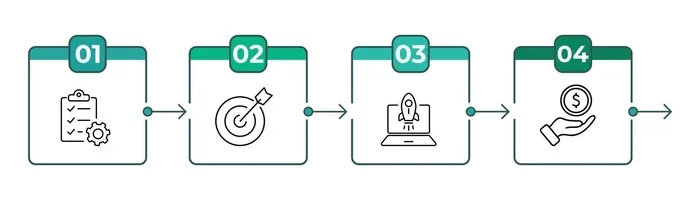
Process Workflow Tools That Will Transform Your Business
Process workflow tools help businesses automate repetitive tasks, streamline operations, and save valuable time every single day. These platforms make it easy to map, track, and optimize every step of your business processes. Whether you run a small team or a large enterprise, the right tool can completely change how you work.
Running a business means juggling a lot of moving parts. Tasks pile up. Deadlines slip. Team members lose track of what needs to be done next. It is a mess. And it happens in almost every company at some point. But here is the good news. Process workflow tools can fix this. They bring order to the chaos. They make your daily operations smoother, faster, and way more efficient. If you have not yet explored these tools, now is the perfect time to start.
So what exactly are process workflow tools, and why should you care? Simply put, they are software platforms that help you design, manage, and automate the steps involved in completing a business task. Whether it is approving a purchase order, onboarding a new employee, or processing a customer request, these tools handle it all. They replace manual, paper-based processes with smart, automated systems that work around the clock. The result? Less wasted time, fewer errors, and a team that actually enjoys coming to work.
In this guide, we will walk you through everything you need to know about process workflow tools. We will cover what they are, why they matter, which ones top the list, and how to pick the right one for your business. We will also share practical tips to get the most out of them. By the end, you will have a clear roadmap to transform the way your team works.
Key Takeaways
- Process workflow tools automate repetitive tasks: This frees up your team to focus on high-value work that actually matters.
- They improve visibility and accountability: You can track every step of a process in real time and see exactly who is doing what.
- Choosing the right tool depends on your needs: Consider team size, budget, integrations, and the complexity of your workflows.
- Top tools include Monday.com, Zapier, and Kissflow: Each offers unique strengths for different types of businesses and use cases.
- Common mistakes include overcomplicating workflows: Start simple, get buy-in from your team, and scale gradually for the best results.
- Workflow tools boost collaboration and communication: They keep everyone aligned and reduce the chance of miscommunication or missed deadlines.
- Measuring results matters: Use workflow analytics to continuously improve your processes and get better outcomes over time.
📑 Table of Contents
- What Are Process Workflow Tools?
- Why Every Business Needs Workflow Tools
- Top Process Workflow Tools You Should Know
- How to Choose the Right Workflow Tool
- Tips for Getting the Most From Your Workflow Tools
- Common Mistakes to Avoid With Workflow Tools
- Expert Insights on Workflow Transformation
- Key Takeaways
What Are Process Workflow Tools?
Let us start with the basics. Process workflow tools are digital platforms designed to help businesses map out, manage, and automate their workflows. A workflow is simply a sequence of steps needed to complete a task or process. Think of it like a recipe. You start with ingredients, follow specific steps, and end up with a finished dish. A workflow tool does the same thing but for your business processes.
These tools typically offer features like workflow automation, drag-and-drop builders, task assignments, approval chains, and real-time tracking. Some also include process mapping capabilities, which let you visualize each step of a process before you start executing it. This visual approach makes it much easier to spot bottlenecks and inefficiencies.
The best part? You do not need to be a tech expert to use them. Most modern platforms are built with simplicity in mind. They use intuitive interfaces that anyone on your team can learn quickly. Whether you are a startup with five people or a corporation with thousands, there is a workflow management system that fits your needs.
How Do They Work in Practice?
Imagine your team receives a customer support ticket. Without a workflow management system, this ticket might sit in an inbox for hours. Someone has to read it, assign it, track it, and close it manually. With a process workflow tool, this entire process can be automated. The ticket is automatically routed to the right team member. Status updates are sent to stakeholders. And when the issue is resolved, the customer gets an instant notification.
This kind of automation saves hours of manual work every week. It also reduces the risk of human error. Tasks do not fall through the cracks anymore. Everything is tracked, visible, and accounted for.
Why Every Business Needs Workflow Tools
You might be wondering, do I really need this? The answer is almost certainly yes. Here is why process workflow tools have become essential for modern businesses of all sizes.
First, they save time. Manual processes are slow. When your team spends hours on repetitive administrative tasks, that is time they are not spending on growth. Workflow automation handles the routine stuff so your people can focus on what really matters.
Second, they reduce errors. Humans make mistakes. It is a fact. But when a system handles the process, the chances of errors drop dramatically. Forms get filled out correctly. Approvals happen on time. Nothing gets lost in translation.
Third, they improve transparency. With a digital workflow platform, everyone can see the status of a task or project at any time. There is no more guessing or chasing people for updates. Everything is clear and visible.
Fourth, they scale with your business. As your company grows, your processes become more complex. A workflow management system can handle that complexity. You can add new steps, assign new team members, and create new approval chains without starting from scratch.
The Cost of Not Using Workflow Tools
Think about the cost of doing things manually. Lost productivity. Missed deadlines. Frustrated employees. Angry customers. Over time, these costs add up fast. Companies that rely on outdated, manual processes often find themselves falling behind competitors who have embraced business process automation. The investment in a good process workflow tool pays for itself many times over.
Top Process Workflow Tools You Should Know
Now let us get to the fun part. There are many process workflow tools on the market, and each one has its own strengths. Here are some of the best options to consider.
Monday.com
Monday.com is one of the most popular task management software platforms available today. It offers a highly visual, color-coded interface that makes it easy to build and track workflows. You can create custom boards for different processes, assign tasks, set deadlines, and automate recurring actions. It is especially popular among teams that want a flexible, visual approach to workflow management.
Monday.com integrates with over 200 third-party apps, which means it can fit into almost any existing tech stack. Whether you use Slack, Google Drive, or Salesforce, there is likely a connection available. The pricing starts at around $8 per seat per month, making it accessible for small teams and large enterprises alike.
Zapier
If your main goal is task automation, Zapier is a standout choice. It connects over 6,000 apps and allows you to create automated workflows called “Zaps.” For example, you can set up a Zap that automatically creates a task in your project management tool whenever a new email arrives in your inbox.
Zapier does not have a built-in project dashboard like Monday.com. Instead, it focuses purely on connecting apps and automating tasks between them. This makes it a powerful addition to any digital workflow setup. Pricing starts with a free tier and goes up to $99.99 per month for higher volume needs.
Kissflow
Kissflow is a business process management platform built specifically for workflow automation. It offers a drag-and-drop process builder that makes it easy to design and deploy workflows without any coding. It is ideal for teams that need to manage complex, multi-step processes like procurement, HR approvals, or invoice processing.
Kissflow also includes workflow analytics, which gives you insights into how your processes are performing. You can identify bottlenecks, track cycle times, and measure efficiency. Pricing is quote-based, so it is best suited for medium to large businesses.
Airtable
Airtable combines the simplicity of a spreadsheet with the power of a database. It is a versatile workflow management system that can be customized for almost any use case. Marketing teams use it to manage campaigns. Operations teams use it to track inventory. HR teams use it to manage recruitment pipelines.
Airtable supports workflow templates that let you get started quickly. It also offers automations that trigger actions based on specific conditions. Pricing starts at $10 per seat per month, with a generous free tier for individuals and small teams.
Smartsheet
Smartsheet is a spreadsheet-style project and workflow management tool that is beloved by many teams. It offers Gantt charts, automated workflows, and robust reporting features. It is particularly strong for teams that prefer a more traditional, data-driven approach to managing processes.
Smartsheet integrates well with Microsoft Office, Google Workspace, and many other tools. It is a solid choice for businesses that want a powerful yet familiar interface. Pricing starts at $7 per user per month.
Trello
Trello uses a simple board-and-card system to manage tasks and workflows. It is one of the most user-friendly process workflow tools available. Teams can create boards for different projects, move cards across columns to track progress, and assign tasks to specific members.
Trello is best for smaller teams or simpler workflows. It offers a free tier that is more than sufficient for basic needs. For advanced features like automation and analytics, you can upgrade to Trello Premium at around $10 per user per month.
Comparison Table
| Tool | Best For | Starting Price | Key Strength |
|---|---|---|---|
| Monday.com | Visual workflow management | $8/seat/month | Flexibility and ease of use |
| Zapier | App integration and automation | Free tier available | Connecting over 6,000 apps |
| Kissflow | Complex business processes | Quote-based | Advanced BPM capabilities |
| Airtable | Customizable database workflows | $10/seat/month | Spreadsheet-database hybrid |
| Smartsheet | Data-driven project management | $7/user/month | Reporting and Gantt charts |
| Trello | Simple task tracking | Free tier available | Ease of use for small teams |
Keep in mind that this table compares starting prices and general strengths. The best process workflow tool for your business will depend on your specific needs, budget, and team size.
How to Choose the Right Workflow Tool
With so many options out there, picking the right one can feel overwhelming. Here is a simple framework to help you make the best decision.
Step 1: Identify Your Pain Points
Start by asking yourself, what problems are we trying to solve? Are manual tasks slowing your team down? Do you struggle with visibility into ongoing processes? Are approvals taking too long? Identifying your pain points will help you narrow down the features you actually need.
Step 2: Consider Your Team Size
A small team of five people has very different needs than a company with 500 employees. Make sure the workflow management system you choose can scale with your business. Some tools are better suited for small teams, while others are built for enterprise-level operations.
Step 3: Check Integrations
Your workflow tool should play nicely with the other apps your team already uses. Check whether it integrates with your email platform, project management software, CRM, and communication tools. Seamless integration is key to a smooth digital workflow experience.
Step 4: Evaluate Ease of Use
The best tool in the world is useless if your team will not use it. Look for platforms with intuitive interfaces and minimal learning curves. Many process workflow tools offer free trials, so take advantage of those to test usability before committing.
Step 5: Review Pricing
Set a budget and compare pricing plans. Remember to factor in the cost per user, as this can add up quickly for larger teams. Also look for hidden costs like implementation fees or charges for premium features.
Step 6: Look for Analytics and Reporting
You should be able to measure how well your workflows are performing. Look for tools that offer workflow analytics and reporting dashboards. These insights help you continuously improve your process efficiency over time.
Tips for Getting the Most From Your Workflow Tools
Choosing the right process workflow tool is only half the battle. The other half is using it effectively. Here are some practical tips to help you get maximum value from your investment.
Start Small and Scale Gradually
Do not try to automate everything at once. Start with one or two simple workflows and get comfortable with the tool. Once your team is confident, expand to more complex processes. This approach reduces the risk of overwhelming your team and ensures smoother adoption.
Involve Your Team in the Process
Workflow tools work best when everyone is on board. Involve your team members in the design and implementation process. Ask for their input on what workflows need automation and what pain points they experience daily. This builds buy-in and ensures the tool actually solves real problems.
Use Workflow Templates
Most process workflow tools come with pre-built templates for common processes. Use them. They save you time and give you a solid starting point that you can customize to fit your needs. Whether it is an employee onboarding checklist or a customer approval process, templates get you up and running fast.
Set Clear Ownership for Each Step
Every task in your workflow should have a clear owner. This eliminates confusion and ensures accountability. When everyone knows exactly what they are responsible for, processes move faster and errors decrease.
Review and Optimize Regularly
Your workflows should evolve as your business grows. Schedule regular reviews to analyze performance data and identify areas for improvement. Use workflow analytics to spot bottlenecks and inefficiencies. Continuous optimization is the key to long-term success with any workflow management system.
Leverage Automation Wisely
Automation is powerful, but not every step needs to be automated. Focus on automating repetitive, rule-based tasks that do not require human judgment. Leave room for human creativity and decision-making where it matters most. This balance ensures efficiency without sacrificing quality.
Common Mistakes to Avoid With Workflow Tools
Even with the best intentions, businesses often make mistakes when implementing process workflow tools. Here are the most common ones and how to avoid them.
Overcomplicating Your Workflows
The biggest mistake is trying to build overly complex workflows from day one. Keep things simple. A workflow should make a process easier, not harder. If your workflow has too many steps or unnecessary approvals, it defeats the purpose. Start with the essentials and add complexity only when needed.
Ignoring Team Training
Even the most intuitive tools require some training. Do not assume your team will figure everything out on their own. Provide clear onboarding sessions, create documentation, and be available to answer questions. Proper training dramatically increases adoption rates and ROI.
Skipping the Mapping Phase
Many teams jump straight into automation without properly mapping out their processes first. This is a recipe for disaster. Always start with process mapping. Understand each step, identify dependencies, and define clear inputs and outputs before you automate anything.
Not Updating Workflows Over Time
A workflow that worked six months ago might not work today. Businesses change, processes evolve, and new tools enter the picture. Review your workflows regularly and update them as needed. A static workflow is a stale workflow.
Choosing Based on Price Alone
It is tempting to go with the cheapest option, but the lowest price does not always mean the best value. Consider features, scalability, support, and ease of use. Sometimes paying a bit more upfront saves you a lot of headaches down the road.
Expert Insights on Workflow Transformation
We spoke with several business leaders who have successfully implemented process workflow tools in their organizations. Here is what they had to say.
“The biggest impact we saw was in visibility,” says Sarah Chen, COO of a mid-sized e-commerce company. “Before we used a workflow management system, we had no idea where our processes stood. Now, we can see everything in real time. It has completely changed how we make decisions.”
“We started with just one workflow, and now we have over 20 automated processes,” adds Marcus Rivera, a startup founder. “The key was starting small and letting the tool prove its value. Once the team saw the results, they asked for more.”
These insights highlight a common theme: process workflow tools deliver the best results when implemented thoughtfully and incrementally. You do not need to transform everything overnight. Just start with one process, prove the value, and build from there.
Key Takeaways
- Process workflow tools bring order to chaos: They automate repetitive tasks and help your team stay organized and focused.
- They improve transparency and accountability: Every step of a process is visible, trackable, and assigned to a specific person.
- Popular tools include Monday.com, Zapier, Kissflow, Airtable, Smartsheet, and Trello: Each serves different needs and budgets.
- Choosing the right tool requires careful evaluation: Consider your pain points, team size, integrations, and budget before deciding.
- Start small, involve your team, and scale gradually: This approach ensures smooth adoption and long-term success.
- Avoid common mistakes like overcomplicating workflows or skipping training: These pitfalls can derail your implementation efforts.
- Regular review and optimization keep your workflows effective: Use analytics to continuously improve your process efficiency over time.
The world of business moves fast. Companies that embrace process workflow tools gain a significant advantage. They work smarter, not harder. They make better use of their time and resources. And they position themselves for sustainable growth in an increasingly competitive landscape.
Whether you are a small business owner looking to streamline daily operations or a manager seeking to improve team productivity, process workflow tools offer a proven path forward. The tools are accessible, the benefits are real, and the investment pays off quickly. Start exploring your options today, and take the first step toward a more efficient, organized, and successful business.
Remember, transformation does not happen overnight. It starts with a single step. And for many businesses, that step is choosing the right process workflow tool. Make that choice today, and watch your operations transform in ways you never thought possible.
Frequently Asked Questions
What are process workflow tools used for?
Process workflow tools are used to design, manage, and automate business processes. They help teams map out workflows, assign tasks, track progress, and reduce manual effort. Common use cases include approval processes, onboarding, customer support, and project management.
Which process workflow tool is best for small businesses?
For small businesses, Trello and Monday.com are excellent choices. They are affordable, easy to use, and offer enough features to streamline daily operations without overwhelming your team. Airtable is also a great option if you need a flexible database approach.
Can process workflow tools integrate with other software?
Yes, most modern process workflow tools offer integrations with popular apps like Slack, Google Workspace, Salesforce, and Microsoft Office. Zapier, in particular, specializes in connecting over 6,000 different apps, making it a powerful addition to any workflow setup.
How much do workflow tools typically cost?
Pricing varies widely depending on the tool and features. Some platforms like Trello and Zapier offer free tiers, while others like Kissflow and Monday.com range from $7 to $15 per user per month. Enterprise plans can be quote-based and cost significantly more.
Do I need technical skills to use workflow tools?
No. Most process workflow tools are designed for non-technical users. They feature intuitive drag-and-drop builders and visual interfaces. However, some advanced platforms like Kissflow may require basic technical knowledge for complex customizations.
How long does it take to implement a workflow tool?
Implementation time depends on the complexity of your workflows and the tool you choose. Simple tools like Trello can be set up in a matter of hours. More complex platforms may take a few weeks for full deployment. Starting with one workflow and expanding gradually is the fastest path to success.
=== CONCLUSION ===
Process workflow tools are no longer a luxury. They are a necessity for any business that wants to stay competitive and efficient. They eliminate manual work, reduce errors, improve transparency, and empower your team to do their best work. Whether you choose Monday.com for its visual flexibility, Zapier for its automation power, or Kissflow for its advanced BPM capabilities, the right tool can truly transform your business.
The key is to start simple, involve your team, and commit to continuous improvement. With the right process workflow tool and a clear strategy, you can build workflows that drive real results. So take that first step today. Your future, more efficient self will thank you.



One Comment