How Playground AI Image Generator Creates Stunning Art
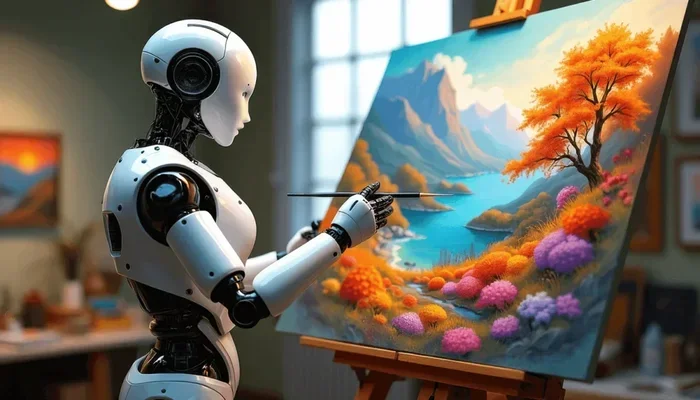
Playground AI image generator is a powerful text-to-image AI tool that turns your words into AI-generated artwork in seconds. It uses advanced generative AI models to create beautiful, high-quality images from simple text prompts. Whether you are a designer, artist, or hobbyist, this free AI art generator opens up endless creative possibilities.
This is a comprehensive guide about playground ai image generator.
Key Takeaways
- Easy to Use: Playground AI makes AI image generation simple, even for beginners with no design experience.
- Free to Start: You can create stunning AI artwork without paying a dime, with generous free daily limits.
- Powerful Customization: Adjust styles, resolutions, and prompts to get exactly the AI-generated image you envision.
- Multiple AI Models: Choose from different generative AI models to match your creative vision.
- Community Driven: Join a growing AI art community where creators share prompts, styles, and inspiration.
- Fast Results: Generate high-quality digital art in seconds, not hours.
- Versatile Applications: Use it for social media, marketing, concept art, and personal projects.
[FEATURED_IMAGE_PLACEHOLDER]
What Is Playground AI Image Generator?
Playground AI image generator is a free online tool that creates images from text descriptions. You type what you want to see, and the AI builds it for you. It is one of the most popular AI art generators available today. The platform uses cutting-edge generative AI technology to turn simple words into detailed artwork.
Unlike many other tools, Playground AI offers a generous free tier. You get a solid number of free image generations every day. This makes it perfect for beginners who want to explore AI image creation without spending money. The interface is clean and intuitive. You do not need any technical skills to get started.
The tool supports a wide range of art styles. You can create photorealistic images, cartoons, paintings, and abstract designs. The text-to-image AI technology has come a long way in recent years. Playground AI sits right at the forefront of this creative revolution.
How Does It Work?
At its core, Playground AI uses diffusion models to generate images. These models learn from millions of images on the internet. When you type a text prompt, the AI interprets your words and creates a matching image. The process happens in seconds.
First, you write a description of what you want. Then you pick a style or model. Finally, you hit generate. The AI processes your prompt engineering and delivers a unique image. You can tweak the prompt, adjust settings, and regenerate until you get the perfect result. It is like having a digital artist inside your computer.
Why Playground AI Stands Out From Other AI Art Tools
The AI art generator market is crowded with options. So why does Playground AI get so much attention? There are several reasons that make it a top choice for creators.
Free and Accessible
Many AI image generators charge hefty subscription fees. Playground AI gives you a generous free plan. You can create dozens of images every day without paying a cent. This low barrier to entry attracts millions of users. Students, hobbyists, and professionals all use it.
The platform runs entirely in your browser. There is no software to download or install. You just visit the website and start creating. This cloud-based approach means you can access your work from any device. Your laptop, tablet, or phone all work perfectly.
Multiple AI Models to Choose From
Playground AI offers several different AI models for image generation. Each model has its own strengths. Some excel at photorealistic images. Others are better for artistic styles like watercolor or anime. You can experiment with different models to find what works best for your project.
Popular models include Stable Diffusion variants and other cutting-edge architectures. The platform regularly updates its model library. This means you always have access to the latest AI image synthesis technology.
User-Friendly Interface
The design of Playground AI is clean and straightforward. Everything is laid out logically. The prompt box is front and center. The settings panel is easy to navigate. Even if you have never used an AI art tool before, you will feel comfortable quickly.
The platform also provides helpful tips and suggestions. It can guide you on how to write better text prompts for better results. This makes the learning curve very gentle. You go from zero to creating amazing art in minutes.
Features That Make Playground AI Powerful
Playground AI comes packed with features that boost your creativity. Let us explore what makes this AI image creator so special.
Prompt Crafting and Customization
Your text prompt is the engine behind every image. The better your prompt, the better your result. Playground AI gives you full control over how you describe what you want. You can be as detailed or as simple as you like.
Here are some tips for writing great prompts:
- Be specific: Instead of “a dog,” try “a golden retriever sitting on a beach at sunset.”
- Add style keywords: Include words like “oil painting,” “digital art,” or “photorealistic.”
- Describe the mood: Words like “peaceful,” “dramatic,” or “dreamy” shape the tone.
- Include lighting details: “Golden hour lighting” or “soft studio light” changes the feel.
- Use negative prompts: Tell the AI what to avoid, like “no blur” or “no text.”
The prompt engineering aspect is a big part of the fun. You will get better over time as you learn what words produce the best AI-generated images. It is like learning a new language for creativity.
Image Editing and Refinement
Playground AI is not just about generating images from scratch. It also offers editing tools. You can upscale your images for better resolution. You can adjust the aspect ratio to fit different platforms.
The in-painting feature lets you edit specific parts of an image. Want to change the color of a shirt? Just paint over that area and describe the new color. The AI will regenerate just that section. This AI image editing capability saves a lot of time.
You can also use the out-painting feature to expand your image beyond its original borders. This is great for creating wide landscape shots or adding more context to your AI artwork. The editing tools make Playground AI a complete creative suite.
Community and Inspiration
One of the best parts of Playground AI is its community. Users share their creations, prompts, and styles. You can browse the community feed for inspiration. Seeing what others create sparks your own ideas.
The AI art community is welcoming and supportive. Beginners can learn from experienced creators. You can copy prompts that others have used and tweak them to make them your own. This collaborative environment accelerates your learning curve.
Playground AI also hosts challenges and themes. These events keep the creative energy high. They give you a reason to experiment with new styles and techniques. The community aspect turns a solo activity into a shared experience.
Getting Started With Playground AI
Starting with Playground AI is quick and easy. Here is a simple step-by-step guide to help you begin your AI image creation journey.
- Visit the website: Go to the Playground AI site and sign up for a free account.
- Explore the dashboard: Take a few minutes to look around. Notice the layout and tools available.
- Write your first prompt: Type a simple description of what you want to see. Keep it clear and specific.
- Choose a model: Pick an AI model that matches the style you are going for.
- Adjust settings: Tweak the aspect ratio, guidance scale, and number of images.
- Generate and review: Click generate and wait a few seconds. Review the results.
- Refine and iterate: Adjust your prompt or settings and try again. Keep experimenting!
You can also learn how to start a generator workflow by watching tutorial videos on the platform. Many users share their screen recordings and tips. This makes the onboarding process even smoother. Within an hour, you will be creating impressive AI-generated artwork.
Tips for Better Results
Getting great images takes a bit of practice. Here are some expert tips to improve your AI image generation results:
- Start simple and gradually add more detail to your prompts.
- Experiment with different models for different styles.
- Use reference images when the platform allows it.
- Save your favorite prompts for future use.
- Combine unexpected keywords for unique results.
- Pay attention to lighting and atmosphere keywords.
- Use the seed feature to reproduce and refine images you like.
These AI image creation tips will help you get the most out of Playground AI. The more you use it, the better your results will become. Think of it as a creative muscle that grows with practice.
Creative Uses for Playground AI
The versatility of Playground AI makes it useful for many different projects. Here are some popular ways people use this powerful AI image generator.
Social Media Content
Creating eye-catching social media posts is one of the most popular uses. You can generate custom graphics for Instagram, Twitter, or Facebook. The AI art generator helps you stand out from the crowd with unique visuals.
Need a header image for your blog? Just type a description and generate one. Want a profile picture that matches your brand? The AI image creator can make it happen. The speed and quality of AI image synthesis make it ideal for social media workflows.
Marketing and Advertising
Small businesses and marketers use Playground AI for ad visuals. You can create product mockups, banner images, and promotional graphics. The quality of AI-generated images has reached a point where they work well for marketing materials.
This saves both time and money. Instead of hiring a designer or buying stock photos, you generate custom visuals instantly. The generative AI technology produces professional-looking results that engage your audience.
Concept Art and Storyboarding
Writers and filmmakers use Playground AI for concept art. You can visualize characters, settings, and scenes from your stories. This is incredibly helpful for pre-production planning.
Game designers create character concepts and environment sketches. Architects generate visual representations of building designs. The digital art AI opens doors for creative professionals across many industries.
Personal Projects and Fun
Not everything has to be business-related. Many people use Playground AI just for fun. You can create custom wallpapers, greeting cards, or gifts for friends.
Want to see what your pet would look like as a Renaissance painting? Just type it in and see the magic. The playful side of AI art generation is one of its greatest strengths. It brings creativity to everyone, regardless of skill level.
Understanding the Technology Behind Playground AI
To truly appreciate Playground AI, it helps to understand the technology behind it. The platform uses advanced generative AI models that have been trained on vast datasets of images and text.
Diffusion Models
The core technology is called diffusion models. These models start with random noise and gradually refine it into a clear image. Think of it like watching a photograph develop in a darkroom. The AI slowly shapes the noise into something meaningful based on your text prompt.
This process happens in multiple steps. Each step adds more detail and clarity. The result is a high-quality AI-generated image that matches your description. Diffusion models are what make modern AI image generation so impressive.
Training Data and Learning
The AI models behind Playground AI learn from millions of images. They study the relationships between words and visual elements. This training is what allows them to understand your prompts and create accurate images.
The models also learn artistic styles, lighting techniques, and composition rules. This is why you can ask for “a cyberpunk city at night” and get a stunning result. The AI image quality comes from this deep training on diverse visual data.
However, the technology is not perfect. Sometimes the AI misinterprets prompts or produces unexpected results. This is part of the creative process. Many users enjoy the surprises that come with AI image creation. Each generation is a new experiment.
Common Mistakes to Avoid
Even though Playground AI is user-friendly, there are some pitfalls to watch out for. Avoiding these mistakes will help you get better results faster.
- Being too vague: Generic prompts produce generic images. Be specific about what you want.
- Ignoring negative prompts: Negative prompts help the AI avoid unwanted elements. Always use them.
- Not experimenting: The biggest mistake is giving up after one try. Keep adjusting and regenerating.
- Overcomplicating prompts: Too many conflicting instructions confuse the AI. Keep it focused.
- Skipping style keywords: Adding style descriptors dramatically improves your results.
- Using low-resolution settings for prints: Always check your output resolution before using images professionally.
Learning from these mistakes is part of the journey. Every AI art creator goes through a learning phase. The key is to keep experimenting and having fun with it.
Comparing Playground AI With Other AI Image Generators
There are several AI art generators on the market. Here is a quick comparison of how Playground AI stacks up against popular alternatives.
| Feature | Playground AI | Midjourney | DALL-E | Stable Diffusion |
|---|---|---|---|---|
| Free Tier | Yes, generous daily limits | Limited trial | Limited free credits | Free, open source |
| Ease of Use | Very easy, browser-based | Moderate, Discord-based | Easy, web-based | Requires technical setup |
| Image Quality | High quality | Excellent quality | Very high quality | High quality |
| Customization | Extensive | Moderate | Moderate | Very extensive |
| Community Features | Built-in community feed | Discord community | Limited | Open source community |
| Editing Tools | In-painting and out-painting | Limited | Basic editing | Depends on UI |
Playground AI offers a great balance of ease of use and powerful features. It is one of the best options for those who want a free AI image generator with a polished experience. The combination of quality, accessibility, and community makes it a standout choice.
The Future of AI Image Generation With Playground AI
The world of AI image generation is evolving rapidly. Playground AI continues to update its platform with new features and models. The future looks bright for AI art creators of all skill levels.
We can expect even higher quality images in the coming months. The AI image quality improves with each new model release. Faster generation times and more customization options are also on the horizon. Playground AI is well-positioned to lead this creative revolution.
The generative AI space is expanding beyond just images. We see video generation, 3D modeling, and more on the horizon. Playground AI may incorporate these technologies too. For now, it remains one of the best tools for creating AI-generated artwork from simple text descriptions.
Whether you are a professional designer or someone who just wants to explore AI art, Playground AI is an excellent starting point. It combines power, simplicity, and accessibility in one platform. The creative possibilities are truly limitless.
Conclusion
Playground AI image generator has changed the way we create digital art. It makes AI image generation accessible to everyone. Whether you want to create social media graphics, marketing visuals, or just have fun with AI art, this tool delivers.
The combination of free access, powerful features, and a supportive community makes Playground AI a top choice. You do not need expensive software or years of training. Just type what you see in your mind, and let the AI image creator do the work.
Start exploring today. Write your first prompt, experiment with different styles, and discover the magic of AI-generated artwork. The world of creative AI tools is waiting for you. Playground AI is your gateway to unlimited visual creativity.
Frequently Asked Questions
Is Playground AI image generator completely free?
Playground AI offers a generous free plan with daily image generation limits. You can create many images without paying anything. There is also a paid plan for users who need more generation capacity and advanced features.
Do I need any technical skills to use Playground AI?
No technical skills are required at all. The platform is designed for beginners and experts alike. The interface is intuitive and user-friendly. You can start creating AI-generated images within minutes of signing up.
Can I use Playground AI images for commercial purposes?
Commercial use rights depend on your subscription plan. The free tier may have limitations on commercial use. Always check the platform’s terms of service before using AI artwork for business purposes.
How accurate are the images generated by Playground AI?
The accuracy depends on how detailed your text prompt is. Specific prompts with clear descriptions produce the best results. The generative AI technology has become very good at interpreting and visualizing complex descriptions.
What makes Playground AI different from other AI image generators?
Playground AI combines ease of use with powerful features. It offers a free tier with generous limits, multiple AI models, editing tools, and a built-in community. This combination makes it one of the most accessible and feature-rich AI art generators available.
Can I use Playground AI on my phone or tablet?
Yes, Playground AI runs entirely in your web browser. You can access it from any device with an internet connection. Your phone, tablet, or laptop all work seamlessly with the platform for AI image creation on the go.