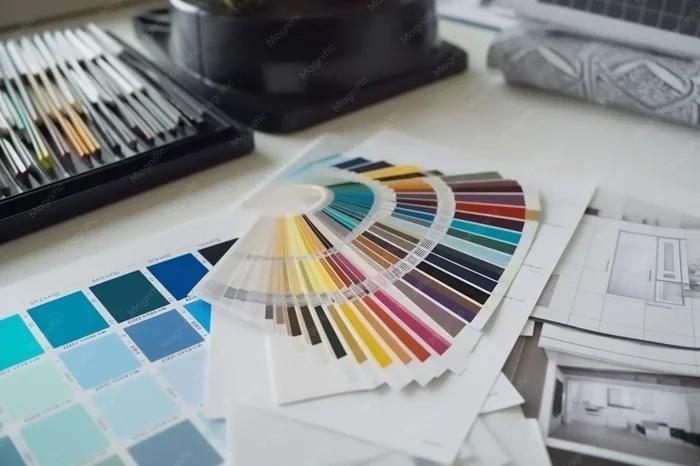
Build Stunning Palettes with a Color Swatch Generator
A color swatch generator is a powerful digital tool that creates beautiful color palettes instantly. Whether you are a web designer, artist, or marketer, this tool saves time and sparks creativity. Learn how it works, what features matter, and how to build palettes that wow.
Have you ever stared at a blank canvas and felt stuck? You know the colors you want exist somewhere, but finding the right combination feels impossible. That is where a color swatch generator changes everything. This handy digital tool takes the guesswork out of picking colors and turns it into a fun, fast process. Whether you design websites, create art, or build brands, a color swatch generator gives you stunning palettes at your fingertips.
So what exactly does a color swatch generator do, and why are so many creators turning to it? In this guide, we will walk you through everything you need to know. You will learn how these tools work, what features to look for, and practical tips to build palettes that truly stand out. By the end, you will wonder how you ever designed without one.
Key Takeaways
- A color swatch generator creates harmonious color palettes in seconds, saving designers hours of manual work.
- These tools use color theory algorithms to ensure your palettes look balanced and visually appealing.
- Top features to look for include hex code export, accessibility checking, and gradient support.
- You can use a color swatch generator for web design, branding, interior decorating, and more.
- Starting with a color swatch generator is simple, and most tools offer free options to get started.
- Avoid common mistakes like choosing colors without contrast or ignoring color accessibility standards.
📑 Table of Contents
What Is a Color Swatch Generator?
A color swatch generator is a software tool that automatically creates groups of colors that work well together. Think of it as a smart assistant for your design projects. You input a starting color, and the tool generates a full palette around it. Some generators let you explore random combinations, while others follow strict color theory rules.
These tools are incredibly popular among web designers, graphic artists, and marketers. They help create color palettes for websites, logos, presentations, and social media posts. The best part? You do not need to be a color expert to get great results. A color swatch generator handles the heavy lifting so you can focus on the creative vision.
How Does a Color Swatch Generator Work?
You might wonder how a color swatch generator actually picks colors. The answer lies in color theory, which is the science behind how colors interact. Just like how a regular generator converts fuel into electricity, a color swatch generator converts color rules into beautiful combinations. It uses algorithms based on the color wheel to find complementary colors, analogous shades, and triadic schemes.
Here is a simple breakdown of how most generators operate:
- You pick a base color or let the tool choose one for you.
- The algorithm analyzes that color using the color wheel.
- It generates a set of colors that harmonize with the base.
- You can adjust, shuffle, or lock colors until the palette feels right.
- You export the palette as hex codes, RGB values, or CSS variables.
Some tools even let you explore how a color swatch generator works by comparing it to other types of generators. For instance, a color swatch generator operates much differently from a power generator, but the underlying idea is similar. Both take an input and produce a useful output automatically. And just like you might ask, “what’s the difference between a generator and an inverter,” there are different types of color generators too. Some use rules-based systems, while others use AI to create more unique and unexpected palettes.
Why Should You Use a Color Swatch Generator?
Manual color picking can be tedious and frustrating. You might spend hours testing shades that never quite match. A color swatch generator cuts that time dramatically. Here are the biggest reasons to start using one today.
Saves Time and Boosts Productivity
Time is precious in any creative project. Instead of testing dozens of color combinations by hand, a color swatch generator gives you polished options in seconds. You can generate multiple palettes, compare them side by side, and pick the best one quickly. This speed boost lets you take on more projects and deliver faster.
Ensures Color Harmony
Getting colors to look good together is not just about personal taste. There are proven rules of color harmony that make palettes feel balanced and pleasing. A color swatch generator follows these rules automatically. It ensures your complementary colors contrast well, your analogous colors flow smoothly, and your triadic schemes feel vibrant. Even if you are new to design, the results look professional.
Makes Color Exploration Fun
One of the best things about a color swatch generator is that it encourages experimentation. You can spin through hundreds of palettes and discover combinations you never would have tried on your own. This kind of color exploration often leads to creative breakthroughs. Many designers say their best work came from a palette they found by accident using a generator tool.
Supports Accessibility
Good design is inclusive design. A quality color swatch generator often includes accessibility features. It checks whether your text and background colors have enough contrast for people with visual impairments. This ensures your designs meet WCAG standards and are usable by everyone. Accessibility is not just nice to have, it is a necessity in modern web design.
Key Features to Look For in a Color Swatch Generator
Not all color swatch generators are created equal. Some are simple and minimal, while others are packed with advanced features. Here is what you should look for when choosing the right tool for your needs.
Multiple Color Rule Options
A great generator should let you choose from different color harmony rules. Look for tools that support complementary, analogous, triadic, split-complementary, and tetradic schemes. The more options you have, the more creative control you get over your color combinations.
Easy Export and Sharing
You need a tool that lets you export your palette in useful formats. The best color swatch generators support hex codes, RGB, HSL, and CSS variables. Some even let you share a link to your palette with teammates or clients. This makes collaboration smooth and keeps everyone on the same page.
Lock and Adjust Colors
You know when you find one perfect color in a palette but the rest do not match? A good generator lets you lock that color and regenerate the rest. This feature gives you more control without starting from scratch. It is a small thing that makes a big difference in your design workflow.
Gradient and Shade Support
Modern design often requires more than just five solid colors. Look for a color swatch generator that creates gradients and shade variations. This helps you build richer, more dynamic palettes for user interfaces, illustrations, and branding materials.
Accessibility Checker
As mentioned earlier, accessibility is critical. The best tools include a built-in contrast checker that flags problematic color pairings. This saves you from having to test your palettes in a separate tool and keeps your workflow efficient.
How to Use a Color Swatch Generator Like a Pro
Using a color swatch generator is easy, but using it like a pro takes a little strategy. Here are practical tips to get the most out of your tool.
Start With a Mood or Feeling
Before you open any tool, think about the mood you want to convey. Is your brand calm and trustworthy? Or bold and energetic? Knowing the feeling helps you pick the right starting color. A color swatch generator works best when you give it a clear direction, even if that direction is just a single color gut feeling.
Use Nature as Your Guide
Some of the most beautiful color palettes come from nature. Think about a sunset, a forest, or an ocean shore. Many color swatch generators let you pull colors from images. You can upload a photo of a beautiful scene and let the tool extract a matching palette. This is a fantastic shortcut to creating palettes that feel organic and harmonious.
Generate Many Palettes and Compare
Do not settle for the first palette a tool gives you. Generate several options and compare them side by side. You will quickly start to notice which combinations resonate with your project. This process of comparison helps refine your color matching skills over time.
Keep Your Brand Consistent
If you are building a brand, your color scheme needs to stay consistent across all platforms. Save your favorite palettes in the generator tool and reuse them for different projects. This keeps your brand looking cohesive and professional, whether someone sees your website, social media, or printed materials.
Test on Real Designs
A palette can look beautiful on its own but fail in a real design context. Always test your generated colors on an actual layout. Put text over your background, check buttons and call-to-action colors, and see how the palette feels in use. This step ensures your digital color tool results translate into real-world design success.
Common Mistakes to Avoid When Using a Color Swatch Generator
Even with a great tool, mistakes can happen. Here are the most common pitfalls and how to avoid them.
- Ignoring contrast ratios: A pretty palette does not mean a usable one. Always check that your text colors have enough contrast against backgrounds. This is especially important for body text and small headings.
- Using too many colors: More is not always better. A cluttered palette confuses users and weakens your brand identity. Stick to three to five primary colors and use shades for variety.
- Skipping accessibility checks: Designing only for people with perfect vision excludes a huge portion of your audience. Run your palettes through an accessibility checker before finalizing.
- Forgetting about different screen types: Colors look different on various devices and screens. Test your palette on mobile, desktop, and printed materials to ensure consistency.
- Not saving your work: It sounds obvious, but many designers lose great palettes because they do not save them. Most color swatch generators let you save and organize palettes. Use this feature.
Quick Tips for Beautiful Color Palettes
Here are some fast, actionable tips to elevate your palette game right away:
- Start with a neutral base. White, gray, or beige backgrounds let your accent colors pop.
- Use the 60-30-10 rule. 60% dominant color, 30% secondary color, and 10% accent color. This creates visual balance.
- Add one bold pop color. A single bright color draws the eye and creates focal points in your design.
- Limit your palette to five colors. Fewer colors create a cleaner, more professional look.
- Use a color swatch generator to explore new combinations. Let the tool surprise you with options you would never have tried manually.
Conclusion
A color swatch generator is one of the most valuable tools any designer or creator can have. It saves time, ensures harmony, sparks creativity, and supports accessibility. Whether you are building a website, designing a logo, or crafting a social media campaign, this tool delivers professional results with minimal effort. The key is to use it as a starting point, not a replacement for your creative instincts. Combine the power of a color swatch generator with your own taste and vision, and you will create palettes that truly shine. Start exploring today and see how much easier and more enjoyable the design process can be.
Frequently Asked Questions
What is a color swatch generator?
A color swatch generator is a digital tool that automatically creates harmonious color palettes based on color theory rules. You input a starting color or let the tool choose one, and it generates a set of colors that work well together. These tools are widely used by web designers, graphic artists, and marketers to speed up the design process.
How does a color swatch generator work?
A color swatch generator uses algorithms based on the color wheel to find colors that harmonize with your base color. It follows rules like complementary, analogous, and triadic color schemes. Some advanced tools use AI to create unique and unexpected palettes that still look balanced and professional.
Are color swatch generators free to use?
Many color swatch generators offer free versions with solid features. Some tools have premium plans that unlock advanced options like gradient support, accessibility checking, and team collaboration. For most casual users and designers, the free options are more than enough to create stunning palettes.
Can I use a color swatch generator for branding?
Absolutely. A color swatch generator is excellent for building brand color schemes. You can generate palettes that match your brand personality, test them for consistency, and export the exact codes you need for your website, social media, and marketing materials. Keeping your palette consistent strengthens brand recognition.
Do color swatch generators support accessibility?
Many modern tools include built-in accessibility features. They check contrast ratios between text and background colors to ensure they meet WCAG standards. This helps designers create inclusive designs that are usable by people with visual impairments. Always look for a generator that offers this feature if accessibility matters for your project.
What makes a good color palette?
A good palette has a clear hierarchy, enough contrast for readability, and colors that evoke the right mood. Most designers follow the 60-30-10 rule, using a dominant color, a secondary color, and an accent color. A color swatch generator helps you build palettes that meet these principles quickly and easily.