Canva Logo Generator Create Professional Logos Easily
The Canva logo generator is a free, easy-to-use online tool that lets anyone create stunning professional logos in minutes. You do not need design experience or expensive software to get started. With thousands of templates, icons, and fonts built right in, Canva logo generator makes branding simple for startups, small businesses, and personal projects alike.
Creating a logo used to mean hiring a designer or learning complex software. Those days are over. Today, anyone can build a beautiful logo with just a few clicks. The Canva logo generator has changed the game for small business owners, freelancers, and startups who need a professional look without the professional price tag.
Whether you are launching a new brand or refreshing an old one, a strong logo matters. It is often the first thing people notice. Your logo sets the tone for everything your brand represents. And with Canva logo generator tools, you do not need a design degree to make something that looks polished and memorable.
In this guide, we will walk you through everything you need to know about using Canva logo generator to build your brand. You will learn how it works, what features it offers, and how to create a logo you will be proud to share. Let us dive in.
Key Takeaways
- Free and User-Friendly: Canva logo generator is completely free to start and requires no design skills.
- Massive Template Library: Access thousands of professional logo templates you can customize in seconds.
- Full Brand Control: Adjust colors, fonts, icons, and layouts to match your unique brand identity.
- Multiple File Formats: Download your logo in PNG, SVG, PDF, and more for both digital and print use.
- Fast and Efficient: Create a polished logo in under 10 minutes with Canva’s drag-and-drop editor.
- No Hidden Costs: The free plan gives you plenty of tools, and Pro is affordable if you need extra assets.
📑 Table of Contents
- What Is Canva Logo Generator?
- Why Choose Canva Logo Generator for Your Brand?
- How to Create a Logo with Canva Logo Generator
- Features That Make Canva Logo Generator Stand Out
- Canva Logo Generator vs Other Logo Makers
- Tips for Creating a Memorable Logo with Canva
- Common Mistakes to Avoid When Designing a Logo
- Final Thoughts on Canva Logo Generator
What Is Canva Logo Generator?
The Canva logo generator is an online design tool built into Canva’s platform. It gives you everything you need to create logos from scratch or edit ready-made templates. You can access it from any browser or mobile device. No downloads. No installs. Just open Canva and start designing.
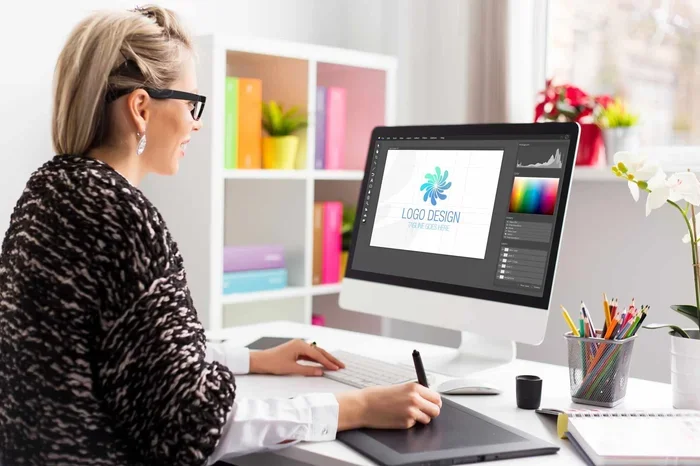
Canva is known for its simple drag-and-drop editor. The Canva logo generator works the same way. You pick a template, add your text, choose colors, and drop in icons or graphics. It is as easy as putting together a puzzle. The interface is clean, intuitive, and built for people who have never touched a design tool before.
One of the best things about Canva logo generator is that it is free. You can create, download, and use logos without spending a single dollar. Of course, Canva also offers a Pro plan with extra templates and assets. But the free version gives you more than enough to make a professional logo.
Who Can Use Canva Logo Generator?
Almost anyone can use Canva logo generator. Here are some examples of who benefits from it:
- Small business owners who need a logo quickly and affordably
- Freelancers and creatives who want a personal brand mark
- Startup founders building their brand identity from scratch
- Nonprofit organizations that need professional branding on a budget
- Students and hobbyists working on school projects or personal blogs
- Social media managers creating consistent branding across platforms
The beauty of Canva logo generator is that it removes the barriers. You do not need special skills, expensive software, or weeks of time. Anyone with an internet connection can create something that looks professional and polished.
Why Choose Canva Logo Generator for Your Brand?
There are many logo makers out there. So why do so many people choose Canva logo generator? The answer comes down to simplicity, quality, and flexibility. Let us look at the main reasons Canva stands out from the crowd.
It Is Incredibly Easy to Use
Canva was built with simplicity in mind. The Canva logo generator follows that same philosophy. You do not need to learn complicated design software like Photoshop or Illustrator. Everything you need is right on the screen. You drag elements, resize them, and move them around. It feels more like playing with building blocks than doing graphic design work.
Even if you have never designed anything before, you can create a great logo with Canva logo generator. The templates are pre-designed by professionals. You just swap in your own text, pick your colors, and you are good to go. The learning curve is practically zero.
Think of it this way. If you can put together a photo collage or make a simple presentation, you can use Canva logo generator. The tools are that accessible. This makes it perfect for people who need results fast without a steep learning curve.
Thousands of Ready-Made Templates
One of the biggest advantages of Canva logo generator is the massive library of templates. You get access to thousands of logo designs across every industry and style. Whether you run a bakery, a tech startup, or a fitness brand, there is a template that fits.
These templates are fully customizable. You are not stuck with a generic design. You can change every element to match your vision. Adjust the layout, swap fonts, add your own icon, and tweak the colors until it feels exactly right. The Canva logo generator gives you a starting point, but the final product is completely yours.
Free and Affordable
Cost is a big factor for many people and businesses. Hiring a professional logo designer can cost anywhere from a few hundred to several thousand dollars. Even other online logo makers often charge for downloads or premium features.
With Canva logo generator, you get a powerful set of tools at no cost. The free plan includes everything you need to create and download a quality logo. And if you ever want more templates or premium elements, Canva Pro is very affordable compared to hiring a designer.
To put it in perspective, think about how much a home power generator costs compared to the value it provides. Canva gives you a similar return on investment. The free Canva logo generator delivers professional results without the financial burden.
Works Across All Devices
Canva is a cloud-based platform. That means you can access Canva logo generator from your laptop, tablet, or phone. You can start a design on your computer during work and finish it on your phone while commuting. Everything saves automatically to the cloud.
This flexibility is a huge advantage. You are not tied to one device or one location. Your logo project is always with you wherever you go. And because Canva works in your browser, you do not need to worry about software updates or compatibility issues.
How to Create a Logo with Canva Logo Generator
Now that you understand why Canva logo generator is such a great choice, let us walk through the actual process step by step. You will be surprised how fast you can go from idea to finished logo.
Step 1: Sign Up and Open the Logo Maker
Go to Canva.com and create a free account. Once you are logged in, type “logo” into the search bar. You will see the Canva logo generator options appear. You can choose from templates or start with a blank canvas. Both paths lead to great results.
If you are new to Canva, I recommend starting with a template. It gives you a solid foundation. You can always customize every detail later. Starting from scratch is also an option if you have a very specific vision in mind.
Step 2: Pick a Template That Fits Your Brand
Browse through the thousands of logo templates available. Look for styles that match your brand personality. Are you going for something modern and minimal? Or do you prefer a classic and elegant look? The Canva logo generator has options for every taste.
As you browse, pay attention to the color schemes and layouts. Click on templates that catch your eye. You can always switch templates later, so do not worry about making the perfect choice right away. The goal is to find a starting point that feels close to what you envision.
Step 3: Customize Your Text and Fonts
Once you have a template, it is time to add your brand name and tagline. Click on the text elements and replace them with your own words. Canva offers a huge library of fonts, so you can find the perfect style for your brand.
Font choice matters more than most people realize. A bold sans-serif font might feel modern and confident. A handwritten font could feel personal and creative. The Canva logo generator makes it easy to experiment with different fonts until you find the right match. Try out a few options before you commit.
Step 4: Adjust Colors and Add Icons
Color is one of the most powerful parts of logo design. It evokes emotion and sets the tone for your brand. With Canva logo generator, you can click on any element and change its color with a single click.
Canva also has a built-in library of icons and graphics. You can search for symbols that represent your industry or values. Drop them into your design, resize them, and position them exactly where you want them. The drag-and-drop editor makes this process feel effortless.
Step 5: Download Your Logo in Multiple Formats
When your logo is ready, it is time to download it. The Canva logo generator lets you export your design in several formats. PNG is great for web use and social media. SVG is perfect for print and scaling to different sizes without losing quality. PDF works well for sending to printers or designers.
You can download your logo for free in PNG format. Some file types may require Canva Pro. But the free PNG download is usually all most people need to get started. You now have a professional logo ready to use on your website, social media, business cards, and more.
Features That Make Canva Logo Generator Stand Out
The Canva logo generator is packed with features that make the logo design process smooth and enjoyable. Here are some of the standout features you will love.
Drag-and-Drop Editor
The core of Canva logo generator is its drag-and-drop editor. Every element on the canvas can be moved, resized, rotated, and customized with simple clicks. You do not need to know any design code or commands. Just click and drag. That is it.
This approach makes logo design feel like a creative exercise rather than a technical chore. You can experiment freely without worrying about breaking anything. The editor is forgiving and intuitive, which is exactly what beginners need.
Brand Kit for Consistent Branding
If you use Canva Pro, you get access to the Brand Kit feature. This lets you save your brand colors, fonts, and logos in one place. Every time you open the Canva logo generator, your brand elements are ready to go. This ensures consistency across all your marketing materials.
Consistency is key in branding. When your logo, website, and social media posts all use the same colors and fonts, your brand looks professional and trustworthy. The Brand Kit makes this easy to maintain over time.
Magic Resize for Multi-Platform Use
Your logo needs to look good on many different platforms. It appears on your website, social media profiles, business cards, merchandise, and more. Each platform has different size requirements. The Canva logo generator includes a Magic Resize feature that adapts your logo to different dimensions instantly.
This saves you a lot of time and effort. Instead of recreating your logo for each platform, you just resize it once. The tool handles the adjustments automatically while keeping your design crisp and clear.
Collaboration Tools
Canva allows you to share your design with others for feedback. You can invite team members or friends to view and comment on your logo. This makes the Canva logo generator a great tool for collaborative branding projects.
Getting input from others is valuable when designing a logo. Different perspectives can help you see things you might have missed. The collaboration features make it easy to gather feedback and refine your design before finalizing it.
Canva Logo Generator vs Other Logo Makers
There are many logo creation tools available online. How does Canva logo generator compare to the competition? Let us look at some of the most popular alternatives.
Some logo makers focus on automation. You answer a few questions and the tool generates a logo for you. These can be fast, but they often produce generic results. The Canva logo generator gives you full creative control. You are not stuck with what the algorithm decides. You can change anything you want.
Other tools charge high fees for logo downloads. They may offer a nice preview but lock the final file behind a paywall. With Canva logo generator, you can download your logo for free in PNG format. There are no surprise charges or hidden fees for basic downloads.
Think about it like choosing the right size generator for 50 amp RV — you need the right fit for your specific needs, not just the biggest or most expensive option. Canva logo generator gives you the right fit for your branding needs without overspending.
Some people also compare Canva to professional design software like Adobe Illustrator. While Illustrator offers more advanced features, it comes with a steep learning curve and a high monthly cost. Canva logo generator delivers 90% of the results with 10% of the effort. For most people building a brand, that is the better choice.
And just like learning how to make a generator quiet involves simple adjustments that yield big results, making small tweaks to your Canva logo can transform it from good to great with minimal effort.
Tips for Creating a Memorable Logo with Canva
Using Canva logo generator is easy. But creating a truly memorable logo takes a bit of thought. Here are some practical tips to help you get the best results.
Keep It Simple
The best logos in the world are simple. Think of brands like Apple, Nike, or McDonald’s. Their logos are clean and easy to recognize. When designing with Canva logo generator, resist the urge to add too many elements. A simple design is more memorable and versatile.
Try to limit yourself to two or three colors and one or two fonts. This keeps your logo looking clean and professional. Simple logos also scale better. They look just as good on a tiny mobile screen as they do on a large billboard.
Choose Colors That Reflect Your Brand
Color psychology plays a big role in branding. Blue conveys trust and professionalism. Red evokes energy and excitement. Green suggests growth and nature. When you use Canva logo generator, think about what your brand stands for and choose colors that match.
Stick to two or three main colors for your logo. Too many colors can make the design feel cluttered and confusing. The Canva logo generator color palette tools make it easy to find complementary colors that work well together.
Make Sure It Looks Good in Black and White
Your logo will sometimes appear in black and white. It might be printed on a fax or stamped on a document. Before you finalize your design, convert it to grayscale and check how it looks. If it still works without color, you have a strong logo.
The Canva logo generator makes this easy. You can quickly adjust colors to test how your logo performs in different formats. This simple check can save you from designs that fall apart when color is removed.
Test Your Logo on Different Backgrounds
Your logo will appear on many different backgrounds. Light backgrounds, dark backgrounds, patterned backgrounds. Use Canva logo generator to create a few versions of your logo with different backgrounds in mind. This ensures your logo looks great in every situation.
You might also want to create a version with a transparent background. This is especially useful for placing your logo over website banners, social media images, or product photos. Canva makes it easy to download logos with transparent backgrounds in PNG format.
Get Feedback Before Finalizing
Once you have a draft logo, share it with a few trusted friends or colleagues. Ask them what they think and what the logo says about your brand. Fresh eyes can spot things you might have missed. The Canva logo generator makes it easy to make quick changes based on feedback.
Do not be afraid to iterate. Great logos often go through several versions before they are perfect. The beauty of Canva logo generator is that you can experiment freely without any cost. Try different layouts, fonts, and colors until you find the combination that feels right.
Common Mistakes to Avoid When Designing a Logo
Even with a powerful tool like Canva logo generator, it is easy to make mistakes. Here are some common pitfalls to watch out for.
- Using too many fonts: Stick to one or two fonts maximum. More than that makes your logo look messy.
- Following every design trend: Trends come and go. Choose a timeless design that will still look good in five years.
- Ignoring scalability: Your logo needs to look good at all sizes. Test it tiny and large before you finalize.
- Copying other logos: Inspiration is fine, but copying is not. Make sure your logo is uniquely yours.
- Overcomplicating the design: Simple logos are more memorable and versatile than complex ones.
- Skipping the brand strategy: Before you open Canva logo generator, think about your brand values, audience, and message.
Avoiding these mistakes will help you create a logo that truly represents your brand. The Canva logo generator gives you the tools. Your job is to use them thoughtfully.
Final Thoughts on Canva Logo Generator
The Canva logo generator is one of the best tools available for creating professional logos quickly and affordably. It combines ease of use, beautiful templates, and powerful customization features into one platform. Whether you are a complete beginner or an experienced designer, Canva logo generator has something to offer.
You do not need to spend hundreds of dollars on a designer or wrestle with complicated software. With Canva logo generator, you can create a logo that represents your brand in just minutes. The free plan gives you everything you need to get started, and the Pro plan offers even more options if you want them.
Think about how much a power generator uses in fuel to keep things running — your brand needs a strong visual identity to keep running too, and Canva logo generator is the fuel-free way to build one.
So go ahead. Open Canva, explore the Canva logo generator, and start building the brand you have always wanted. You might be surprised at what you can create with just a little time and a lot of creativity.
Frequently Asked Questions
Is the Canva logo generator completely free?
Yes, the Canva logo generator offers a free plan that lets you create and download logos at no cost. You can use thousands of templates, icons, and fonts without spending anything. Some premium features and file formats require Canva Pro, but the free version covers most needs.
Do I need design experience to use Canva logo generator?
Not at all. Canva logo generator is designed for people with zero design experience. The drag-and-drop editor is intuitive and easy to learn. You can create a professional-looking logo in minutes by customizing pre-made templates.
Can I use my Canva logo for commercial purposes?
Yes, you can use logos created with Canva logo generator for commercial purposes. Whether you are using it for your business, products, or marketing materials, the logos you create are yours to use. Just make sure you have the right license for any premium elements you include.
What file formats can I download from Canva logo generator?
The Canva logo generator lets you download logos in PNG, SVG, PDF, and JPG formats. PNG is best for web use and supports transparent backgrounds. SVG is ideal for print and scaling. You can download PNG files for free, while some other formats may require Canva Pro.
Can I collaborate with others on my logo design?
Yes, Canva allows you to share your design with team members or friends. You can invite others to view, comment, and even edit your logo. This makes Canva logo generator a great choice for collaborative branding projects where multiple people need to give input.
How long does it take to create a logo with Canva logo generator?
Most people can create a polished logo with Canva logo generator in under 10 minutes. If you start with a template and make a few customizations, the process is very fast. More complex designs might take a little longer, but even then, you can have a great logo in under an hour.